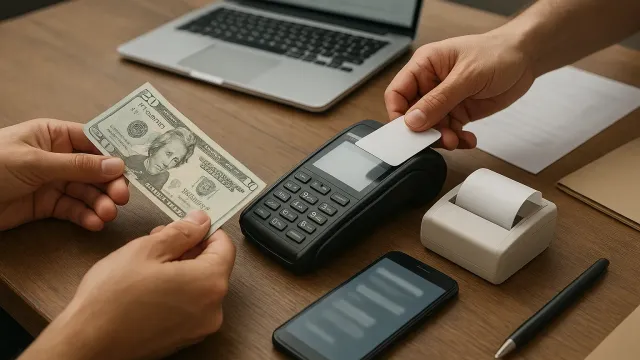




Between January-September 2026 cardholders of Ukrainian banks and financial institutions paid for goods and services online totalling 669,7 billion UAH. The average amount of a single online payment was 682 UAH. This statistic covers completed transactions, while an online store can still lose a customer earlier-when choosing delivery, filling in a form or confirming payment.
| Cashless card transactions for the nine months of 2026 | Number | Amount | Share by amount |
|---|---|---|---|
| Payments in retail and service networks | 5 497 million | 2 147,9 billion UAH | 53,5% |
| Card-to-card transfers | 492,5 million | 993,4 billion UAH | 24,7% |
| Payment for goods and services online | 981,8 million | 669,7 billion UAH | 16,7% |
What is included in the almost 670 billion UAH of online payments?

The National Bank of Ukraine (NBU) accounted for transactions with cards issued in Ukraine, both in Ukraine and abroad. The online payments category covers both goods and services. Transfers between cards are recorded separately by the regulator.
Online payments made up 13,6% of cashless card transactions by number and 16,7% by amount. In the same period in 2025 the average online payment was 598 UAH. Over the year it rose by 84 UAH, or roughly 14%. Nationwide statistics show the volume of payments. A shop can calculate the share of customers who completed an order on a particular site from its own data.
Why do shoppers leave items in the cart?
In a Baymard Institute survey 42% of online shoppers in the US said they had abandoned a cart because they were just browsing or not yet ready to buy. Among other reasons the most frequently cited were high additional costs. These percentages describe responses from US shoppers. For a Ukrainian shop they provide a checklist of issues you can verify on your own site.
| Reason given by shoppers | Share | What to check in the shop |
|---|---|---|
| High additional costs | 40% | On which screen the full amount appears |
| Delivery takes too long | 20% | Whether an estimated delivery date is visible |
| Lack of trust in the site when entering card details | 19% | Whether it is clear who accepts the payment |
| Mandatory registration | 18% | Whether the purchase can be completed without an account |
| Form is too long or complicated | 17% | Which fields are required, especially on mobile |
| Card declined | 10% | How the status is shown and whether the payment method can be changed |
| The needed payment method is missing | 9% | Which payment methods are available on different devices |
Where should you show the cost and delivery time?
A shopper adds an item priced at 899 UAH to the cart and only before payment sees that with delivery the order comes to 1 019 UAH. To allow earlier comparison of offers, you can show the delivery cost in the cart immediately after selecting city and fulfilment method.
If the exact price is not yet known, indicate an estimated amount and explain when the final price will appear. The same applies to delivery time. If the shop only knows the dispatch day, show it separately from the expected delivery date.
How to place an order without registering?
A “Buy without registering” button lets customers proceed to contact details, delivery and payment without creating a password. You can offer an account to track purchases after checkout.
On mobile, go through the whole path to payment. For example, change the delivery branch after filling the form and check whether the phone number and other entered data were preserved.
How to check online payment in an online store?
One scenario to test is: a customer opens the site on their phone, chooses to pay and returns from the payment page. On the site they should see an order number and its current status. If card payments and digital wallets are available, test each path separately. For example, WayForPay supports Apple Pay and Google Pay. The customer can choose a saved card and confirm the payment without manually entering its number.
What does the customer see after a failed payment?
After returning from the payment page the customer needs an order status. Different messages suit three different situations.
- Payment declined. Allow the customer to retry or choose another payment method. Keep the cart and delivery details saved.
- Payment is processing. Show that the shop is awaiting confirmation. While the status is being clarified, the customer should not pay again.
- Payment confirmed. Show the order number and send a confirmation to the provided contact.
To verify payments, a shop can reconcile the order status in its accounting system with the status in the payment provider’s dashboard. A closed tab or failure to return to the site after payment do not by themselves indicate a declined payment.
How to calculate at which step customers leave?
In Google Analytics 4 (GA4) the start of checkout can be tracked with the begin_checkout event, submission of payment details with add_payment_info, and a completed purchase with purchase. GA4 metrics can be matched with orders and payment statuses in the shop. If there is cash on delivery, analyse it separately from orders with online prepayment.
An illustrative example for a shop that accepts only online prepayment. In one period 1 000 customers started checkout, 700 proceeded to a payment attempt, and 560 paid for their orders.
| Stage | Customers | How to read the metric |
|---|---|---|
| Started checkout | 1 000 | Initial group |
| Made at least one payment attempt | 700 | 300 people stopped before the first attempt |
| Paid for the order | 560 | 140 people reached the payment step but did not complete it during the observation period |
In this scenario the share of paid orders among those who started checkout is 56%. Among those who attempted to pay it is 80%. If customers stop before the first payment attempt, check the form, delivery and final amount. If they leave after an attempt, examine how declined, interrupted and still-unconfirmed payments are distributed.
How to check whether a change in the cart worked?
Run an A/B test of a single change. Randomly split visitors between two cart versions. In one show the delivery price after selecting city, and in the other keep it at the usual stage. Compare the share of paid orders among visitors who saw each version of the cart.
What question to ask a customer who is leaving?
A short optional survey can be shown on exit from the cart. The question “What prevented you from completing the order?” lets you collect answers such as “expensive delivery”, “no suitable payment method” or “I will come back later”. Before changing the form, compare these responses with the step where people most often abandon checkout.