

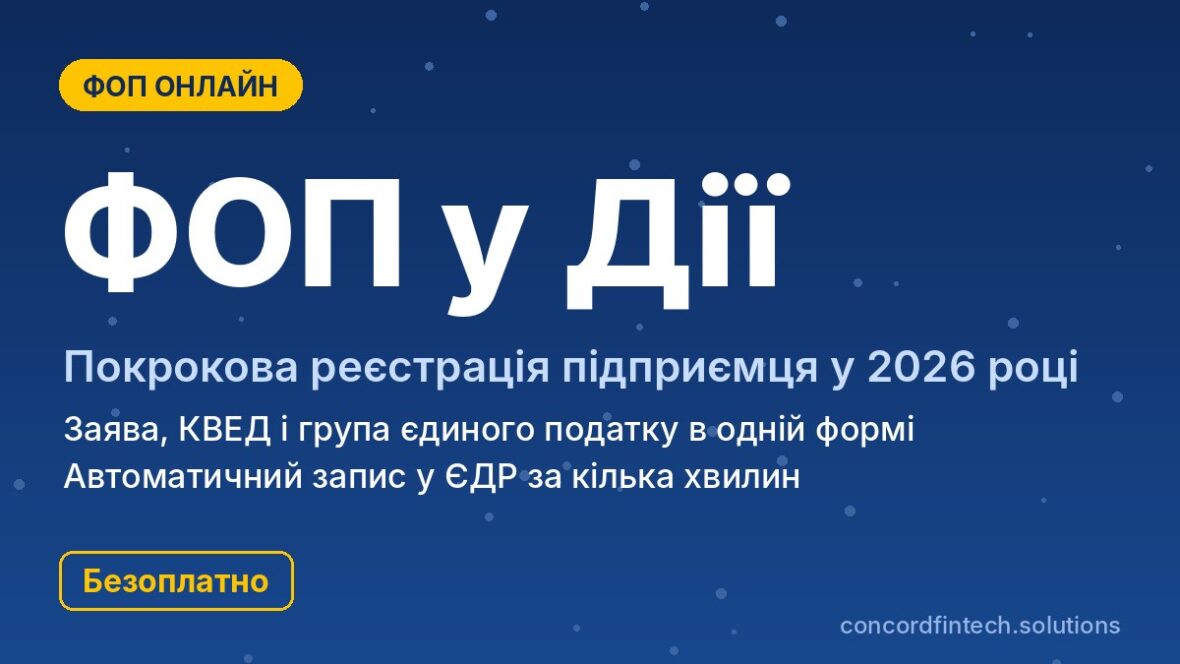
You can open an individual entrepreneur (sole proprietor) through Diia in 2026, free of charge and without visiting a registrar: the application is completed on the Diia portal, signed with Diia.Signature or a qualified electronic signature (KEP), and the entry in the register appears automatically within a few minutes. In a single application you can immediately choose the single tax group and decide on value-added tax (VAT).
Below each step of the form, the choice of classification of economic activities (KVED) and the group, and the first actions after registration are described. Reasons for refusals are discussed separately.
What to prepare before registering an FOP online
Diia.Signature or a qualified electronic signature (KEP): which to choose
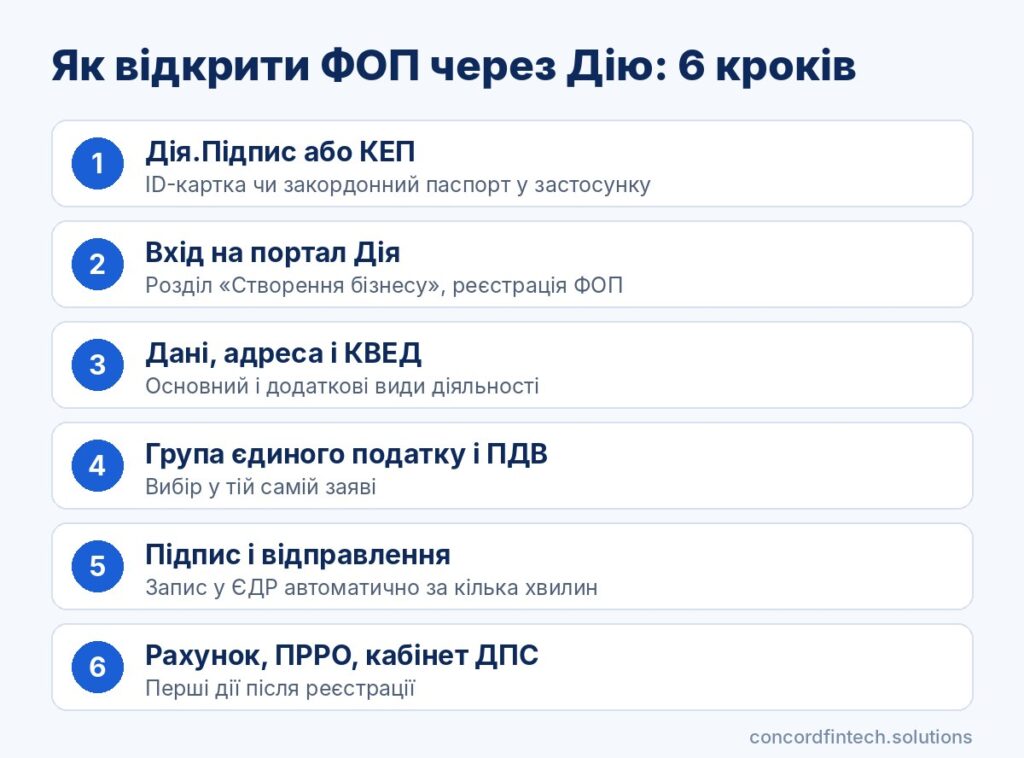
The application is signed with a qualified electronic signature, for which Diia.Signature in a smartphone or a file-based KEP are suitable. Diia.Signature works if an ID card or biometric foreign passport is present in the app, and signing is done by scanning a QR code and facial verification. The file key is issued free of charge by KNEDP DPS and by many banks.
Before starting, gather everything you need in one place so you do not interrupt filling in the form. You will need:
- the tax identification number (RNOKPP), whose data must match the passport;
- ID card or foreign passport uploaded into the Diia app;
- Diia.Signature or a qualified electronic signature (KEP) with the key password;
- a list of types of activity;
- a decision on the single tax group;
Registration address and place of business
The tax address of the FOP is the declared or registered place of residence, and you will be registered with the State Tax Service (DPS) at that address. The place of business is specified separately: it can be all Ukraine, the registration address, or another address. For groups 1 and 2 this is important because the local council sets the rate.
Checking restrictions for registration
A capable person aged 18 or older can register, and persons aged 16–17 only with a notarised consent from parents or a guardianship authority. In that case it is more convenient to contact a Centre for Administrative Services (CNAP) or a notary with the original consent. One person can have only one FOP entry, so if there is an existing active entry in the Unified State Register (USR) a new registration will not be carried out.
Military service itself does not deprive a person of entrepreneur status. Restrictions apply to military officers with organisational and administrative functions, so they should clarify this with the personnel office of their unit.
Step-by-step submission of the application on the Diia portal
Select the “FOP registration” service
Log in to the citizen’s cabinet on the Diia portal using Diia.Signature, a qualified electronic signature (KEP) or BankID. In the list of services open the “Business creation” section and choose automatic FOP registration. The system fills in some fields automatically from state registers.
Filling in personal data and contacts
The form consists of several consecutive screens, and on each you must answer a question or select an option from a list. The steps are as follows:
- Check personal data, citizenship and registration address.
- Choose the main and, if necessary, additional types of activity by KVED.
- Answer whether you conducted activity on the simplified system earlier this year.
- Choose the general system or a single tax group.
- Specify the place of business.
- Decide whether to register as a payer of value-added tax (VAT).
- Confirm the phone number and email and check the entire application.
The portal provides hints and a test for choosing a group. Check the data carefully, because an error in the address or KVED must later be corrected with a separate application.
Signing and sending the application
After checking, the application is signed with Diia.Signature or a qualified electronic signature (KEP) and you click “Send”. Track the status in the section of ordered services, and a notification of registration arrives in your Diia cabinet and by email. If the status does not change for a long time, contact Diia support.
Choosing KVED during registration: rules for 2026
Main and additional types of activity
The main KVED should correspond to the activity that will bring the most income. You can select several additional codes, but each must be permitted for the chosen group, and the list is narrower for groups 1 and 2.
KVED-2010 now and NACE 2.1-UA from 2027
In 2026 registration is carried out using the KVED-2010 classifier. From 1 January 2027 a new classifier NACE 2.1-UA will be introduced, and according to available explanations there will be no automatic replacement of codes in the register. Therefore it is worth immediately finding the counterpart of your code in the new classifier.
Activities incompatible with the single tax
The Tax Code excludes the simplified system for a number of activities, including gambling, currency exchange, extraction and sale of minerals and the production of excise goods. If you choose such a KVED, Diia will not offer the simplified system or the single tax application will not be accepted. You can check restrictions in Article 291 of the Tax Code.
Application for the single tax together with registration
How to choose a group in a single application
Choosing a group in the Diia form means that the application for the simplified tax system is sent to the tax office together with the registration data. A sole proprietor of group 3 is considered a single tax payer from the date of state registration. For groups 1 and 2 the single-tax status applies from the first day of the following month, and the month of registration is counted on the general tax system. The main parameters of the groups in 2026 are shown in the table.
| Group | Rate | Income limit | Employees | Suitable for |
|---|---|---|---|---|
| 1 group | up to 332,80 UAH per month | 1 444 049 UAH | no employees | retail trade at markets, household services to the population |
| 2 group | up to 1 729,40 UAH per month | 7 211 598 UAH | up to 10 people | services to the population and single-tax payers, production, cafés |
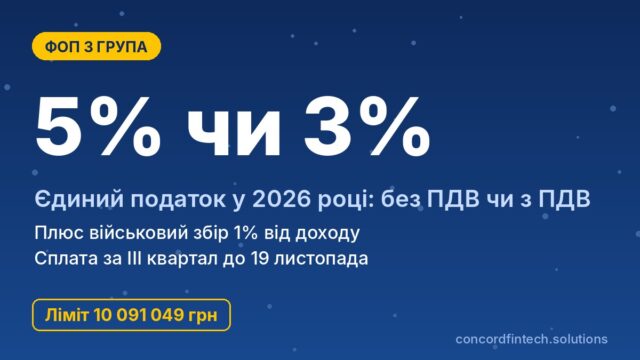
| 3 group | 5% of income or 3% with VAT | 10 091 049 UAH | no limits | work with companies, IT, foreign clients |
For groups 1 and 2 maximum rates are indicated. The military levy is paid separately: 864,70 UAH per month for groups 1 and 2 and 1% of income for group 3.
What happens if you do not submit a single-tax application
Without an application for the single tax the FOP automatically operates on the general system. This means 18% personal income tax (PIT) and 5% military levy of net income, mandatory accounting of expenses and an annual declaration of assets. You can switch to the simplified system later, but only from the start of the next quarter upon an application submitted no later than 15 days before its start.
Registering as a VAT payer: when required
Single-tax payers of groups 1 and 2 and group 3 with the 5% rate are not obliged to register as VAT payers even with income over 1 million hryvnia. Registration is mandatory only for group 3 with the 3% rate. It can be arranged in the same application.
Refusal of registration: common reasons and how to fix them
Data and address errors
The application most often fails because of discrepancies in personal data or the registration address. If a surname has changed in the passport but remains the old one in the tax records, the automatic check will stop. It is worth updating data in the State Tax Service (DPS) in advance and reconciling the address.
Legal grounds for refusal
The Law on State Registration defines a closed list of grounds for refusal. For FOPs the most common situations are:
- an active entry about this person as an FOP already exists in the USR;
- there is a prohibition on engaging in entrepreneurial activity for the person;
- there is a court decision in the register prohibiting the registration action;
- comments that caused the document review to be suspended have not been remedied;
- documents were submitted by a person without authority or contradict the law.
The refusal decision must reference a specific provision of Law No. 755-IV. The registrar’s review of documents takes up to 24 hours, except on weekends and public holidays.
Reapplying without losing time
After eliminating the cause you can submit the application again, and there are no fees for resubmission. A registrar’s decision you disagree with can be appealed to the Ministry of Justice (Minjust) or to court.
First steps after receiving an extract from the USR
Opening an FOP account at a bank
A separate account is not required by law, but without it you cannot receive payments from companies and it is not convenient to pay taxes. The account can be opened online, and you do not need to notify the tax office because the bank transfers the data itself.
Automatic registration with the State Tax Service and Pension Fund of Ukraine
Data from the USR are automatically sent to the tax office and the Pension Fund of Ukraine (PFU), so separate registration is not required. The FOP immediately becomes a payer of the single social contribution (SSC). The extract from the register can be downloaded in the Diia cabinet.
Registering a cash register and non-cash payments
Entrepreneurs of groups 2 and 3 who accept payments in cash or by card through a terminal are required to use a cash register (RRO) or a software cash register (PRRO), unless they fall under exceptions. A software RRO is registered free of charge in the Electronic Cabinet of the State Tax Service, and payments to an account by details without a terminal do not require a cash register. Group 1 is exempt from RRO.
First taxes and reports of a newly created FOP
SSC for a partial month of registration
The minimum single social contribution (SSC) in 2026 is 1 902,34 UAH per month, i.e. 22% of the minimum salary of 8 647 UAH. For the month of registration the contribution is paid in an amount not less than the minimum regardless of the date of opening. It is paid quarterly no later than the 19th day of the month following the quarter; the rules are set out in Law No. 2464-VI.
First payment of single tax and military levy
Groups 1 and 2 pay the single tax and the military levy in advance by the 20th day of the current month, starting from the first month on the simplified system. Group 3 calculates the tax from actual income and pays it within 50 days after the quarter. All groups submit the declaration in the Electronic Cabinet; groups 1 and 2 do so once a year, and group 3 quarterly.
Taxpayer Electronic Cabinet: what to set up immediately
After registration log in to the Electronic Cabinet with the same KEP and check whether the single-tax payer record has appeared in the register. If you plan to apply for the “Own Business” grant, note that updated programme conditions with a separate direction for business start-ups apply from 9 September 2026.
Frequently asked questions
How long does it take to register an FOP through Diia?
Filling in the form takes about 10–15 minutes, and automatic registration happens within a few minutes. If the application goes to a registrar for review, a decision is made within 24 hours on working days.
Can you open an FOP through Diia without a KEP?
Yes, instead of a file key you can use Diia.Signature in the app. For this you need an ID card or a biometric foreign passport in Diia.
Do you need to open a bank account immediately?
The law does not explicitly require this, but without an account the FOP will not be able to receive payments from companies and operate fully. You can open it online on the day of registration, and the bank will notify the tax office itself.
What to do if the registrar refused?
Read the reason in the decision, correct the data and submit the application again without additional costs. If the refusal seems unfounded, it can be appealed to the Ministry of Justice (Minjust) or to court.