




Integration of Claude into Google Workspace
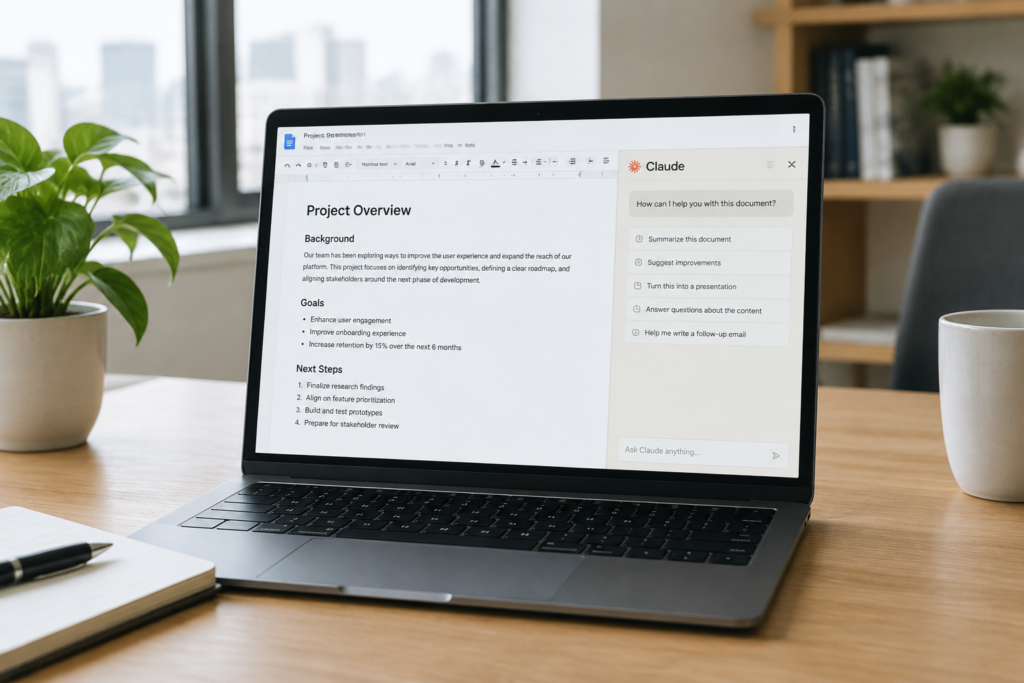
Anthropic integrated Claude into Google Workspace. The model can now work not only as a tool for analysing documents, spreadsheets and presentations, but also directly make changes to users’ files.
The integration makes Claude similar to already built-in solutions for working with documents. This opens the way to faster text editing and automation of routine tasks without the need to keep switching between browser windows.
Editing tools alongside the document
In Google Docs, Claude is available in a sidebar next to the document itself. From there it can change headings, correct errors and rewrite text on user request, as well as convert text fragments into tables for easier data handling.
Working in the sidebar allows edits to be applied quickly and the result to be seen immediately. This is convenient for those who want to maintain the document structure and keep control over formatting and content.
Expanded capabilities in Sheets and Slides
In Google Sheets, Claude can suggest new formulas, create tables and generate charts based on existing data. This approach makes working with calculations easier for users who want ready-made solutions quickly without manually selecting formulas.
In Google Slides the model can create slides based on existing layouts and themes. Claude can also update individual elements of a presentation to synchronise design and content without the need to redo the entire presentation.

Modes of operation and a reverse workflow
Anthropic has implemented two modes of operation. The first automatic mode applies changes quickly, while the second mode called Ask before edits allows you to preview edits before they become part of the document.
In addition to working beside the document, a reverse workflow is also offered. Users can paste a link to a file into the Claude chatbot interface and edit the document directly from the chat, making interaction more flexible for different workflows.
Availability and beta launch
From 6 October the beta version of Claude for Google Workspace is available to Claude users on the Pro, Max, Team and Enterprise plans. This means users on those plans can already test the new features and evaluate them in real work scenarios.
As this is a beta, further changes in functionality and the interface can be expected. However, the basic editing tools for Docs, Sheets and Slides are already working for subscribers of the mentioned plans.